Market Intelligence
How to Track Industry Trends Without Checking 10 Sites
How to Track Industry Trends Without Checking 10 Sites
You do not need more tabs. You need one system.
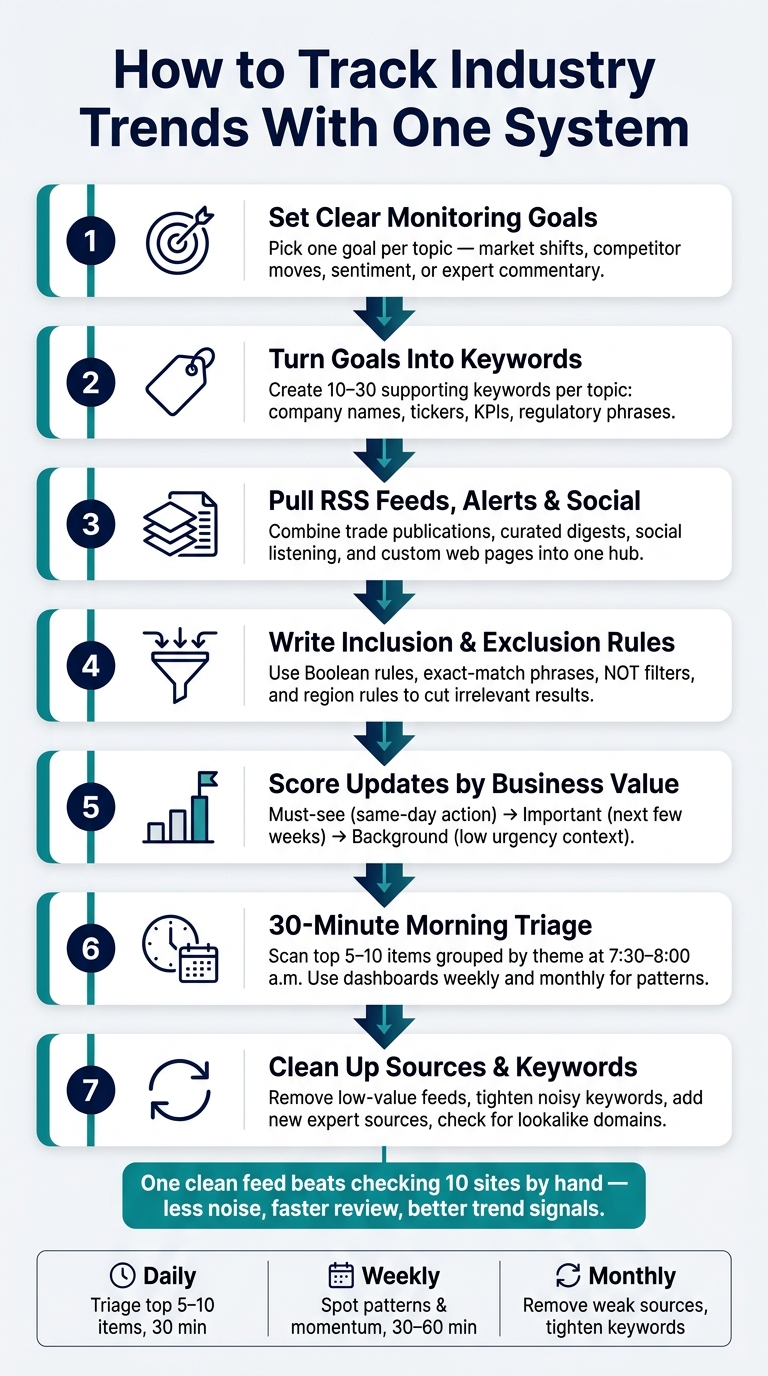
I’d sum the whole article up like this: if I want to track industry trends without wasting my morning, I should pick a few clear topics, watch the right sources, filter hard, and review one daily digest. That matters because manual tracking can get messy fast, especially when one person may be watching 14+ companies across five sectors at the same time.
Here’s the short version:
- I define what matters first so I’m not tracking random noise
- I turn each topic into keywords and source limits
- I pull feeds, alerts, social posts, and web pages into one place
- I filter results with inclusion, exclusion, and region rules
- I rank updates by urgency so the top items get my attention first
- I check a daily digest in about 30 minutes, then use dashboards for weekly and monthly review
- I clean up sources and keywords once a month so the system stays useful
The main idea is simple: one workflow beats checking 10 sites by hand.
What stood out to me most is that the article focuses on decision-making, not just monitoring. For example, the right signal changes by role: an investor may care about earnings and partnerships, while a marketer may watch audience reaction and campaign themes. So the goal is not to read more. It is to see the few updates I’d act on.
I also like the article’s cadence because it is easy to follow:
- Daily: triage the top 5 to 10 items
- Weekly: look for patterns and topic movement
- Monthly: remove weak sources, tighten keywords, and check for bad domains
If I were explaining the article to a friend, I’d say this: build one clean feed, not one more reading habit. That is how I cut noise, save time, and keep up with what matters.
How to Track Industry Trends With One System (Not 10 Tabs)
Define what you need to track before you automate anything
A monitoring system falls apart when it tries to follow everything. The fix is simple: get clear on what matters to your job and the decisions you need to make.
Set clear monitoring goals
Pick one monitoring goal per topic. That topic might be market shifts, competitor moves, customer sentiment, or expert commentary. The right signals depend on your role.
Start with the single most important number or update that shows whether things are moving in the right direction. That’s the signal your monitoring setup should surface first. For a general insurer, that signal is the Combined Ratio. For a lender, it is Gross NPA. For a telecom equipment company, it is order book replenishment, not current revenue [1].
Here’s how that plays out in practice: founders and investors usually care most about funding, partnerships, and earnings updates. Marketers watch campaign themes and audience reactions. Technology buyers pay close attention to analyst assessments and vendor evaluations.
Those decisions shape your keywords, sources, and filters.
Turn goals into topics, keywords, and boundaries
Once your goals are set, turn them into a short list of core topics and 10 to 30 supporting keywords per topic. Core topics might include terms like “extended-stay hospitality demand,” “API-driven automation,” or “geospatial analytics.” Then go a layer deeper with supporting keywords: company names, ticker symbols, executive names, product terms, regulatory phrases, and key performance indicators.
Set alert timing by topic. Use real-time alerts for items that can move markets. Use daily or weekly alerts for slower-moving trends. Stick with trusted sources like regulatory filings, investor disclosures, analyst reports, voice-of-customer platforms, and social listening tools.
This table shows how to turn each goal into a focused watchlist:
| Monitoring Category | Example Keywords | Source Boundaries | Filter Rule |
|---|---|---|---|
| Market Shifts | Tariffs, sector supercycles, macro shifts | Regulatory filings, investor disclosures | Exclude non-impactful macro noise |
| Competitor Activity | Earnings, order book, executive moves | Investor calls, analyst reports | Exclude small-cap or non-core peers |
| Customer Sentiment | Churn, ARPU, audience reaction | Voice-of-customer platforms, social listening | Exclude backward-looking satisfaction scores |
| Expert Commentary | MarketScape, analyst ratings, research briefs | IDC, Cushman & Wakefield | Exclude unverified blogs |
If a keyword keeps pulling in results you’d never act on, cut it. That’s usually the clearest sign your watchlist is too broad.
With goals in place, the next move is pulling the right sources into one stack.
sbb-itb-15d6cfa
Combine the right sources into one monitoring stack
Once your goals and keywords are set, the next move is simple: pull the right sources into one workflow. Use those keywords to pick only the feeds, alerts, and pages that can give you useful signals.
Start with RSS feeds, alerts, and curated sources
RSS feeds make a strong backbone for a monitoring stack. Trade publications, company blogs, and research sites often publish RSS feeds, so you can pull structured updates from many sources into one place.
Pair those feeds with keyword alerts tied to your topics. That helps you spot important developments as they happen. Curated email digests add context from analysts and researchers that breaking news often misses.
That gives you the core inputs. Social monitoring and custom-page tracking help cover what those sources leave out.
Add social listening and custom pages for faster signals
Social channels often surface signals before articles do. Track relevant hashtags, communities, and expert accounts to spot fast-moving technical or business shifts early.
Custom pages help catch updates that feeds and alerts miss. Investor newsrooms, regulatory changelogs, and research summaries don't always offer native feeds, but they can change often and hint at strategic moves before a press release goes out.
Use KAEOA as the central hub for all your sources
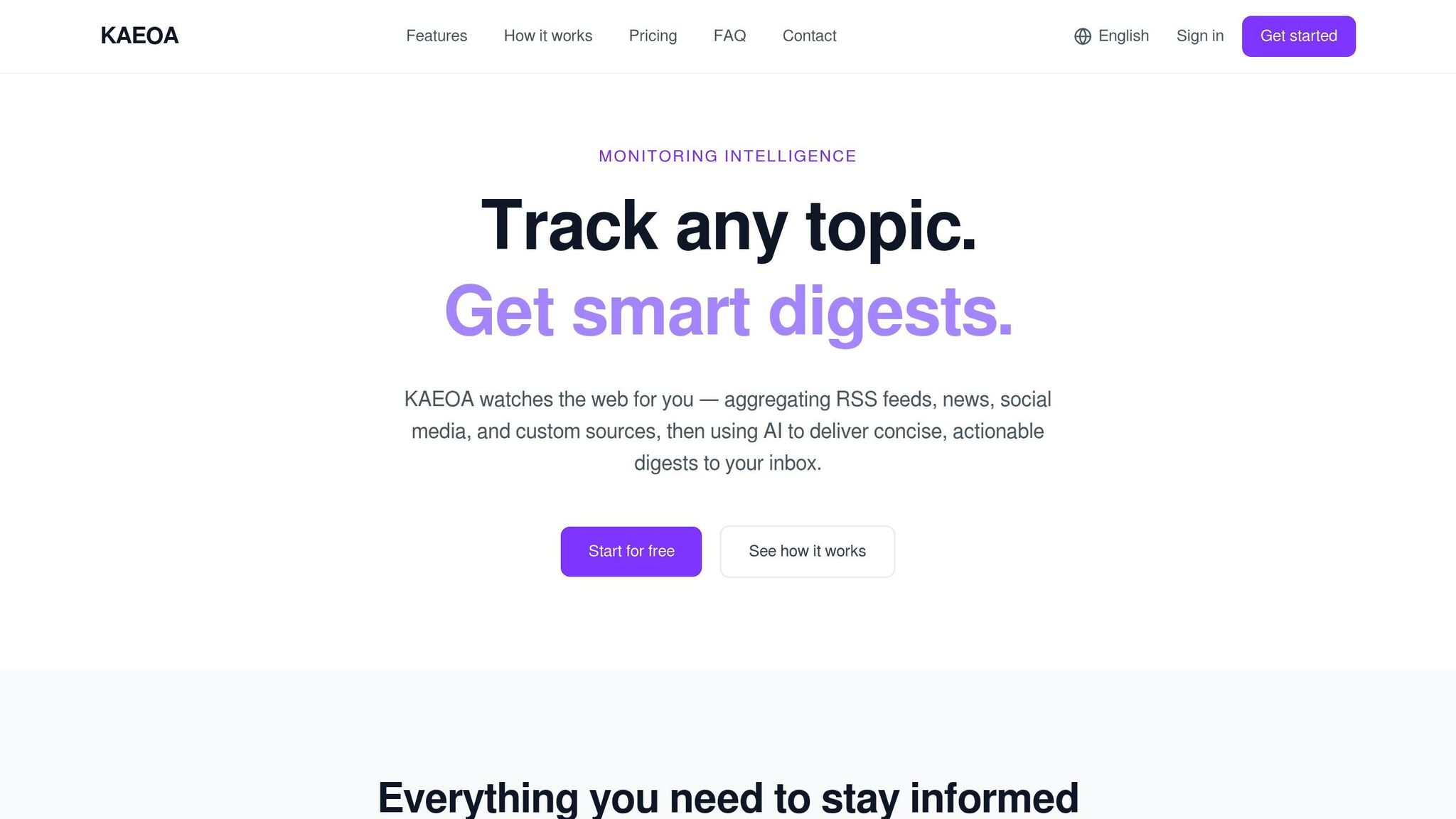
KAEOA brings RSS feeds, news sources, community and social signal, research sites, and custom web pages into a single hub. Instead of juggling a folder of bookmarks across browsers, you can set up individual watches, each tied to specific sources and simple keyword and source rules, and let everything flow into one view.
From there, the next step is cutting the noise so the feed stays useful.
Filter for relevance so your single feed stays useful
Once your sources sit in one feed, filtering is what keeps that feed usable. Without it, you just move the same noise into a new place. The aim is simple: a feed you can scan in minutes, not one more tab stuffed with clutter.
The next step is to trim that feed with rules that remove anything you wouldn't act on.
Write keyword rules that remove irrelevant results
Use rules to strip out sources and topics that don't match your goal. The big mistake is starting too broad. A term like "communications" sounds fine at first, but it's too loose to be useful. You usually need tighter modifiers like CPaaS, CCaaS, or UCaaS.
Exact-match phrases help too. They're one of the easiest ways to cut false positives when you're tracking a specific topic or term.
Exclusion terms do most of the work here. Use NOT rules to remove obvious outliers. If you only want updates from one market, add region or language filters so results stay lined up with that market.
Rank updates by urgency, novelty, and business value
Once relevance filters cut the noise, rank what's left by urgency. A simple three-tier setup keeps things easy to scan:
- Must-see: Same-day action needed
- Important: Material for the next few weeks
- Background: Useful context with low urgency
If your feed mixes different kinds of content, source-type filters can split media items from reference material. AI summaries also make triage faster by showing likely relevance at a glance.
Set up KAEOA watches, filters, and digest priorities
Then bring that logic into KAEOA so the system does the sorting for you. KAEOA supports inclusion and exclusion rules, region filters, AI relevance scoring, and short summaries.
The table below compares the main filtering methods by setup time, precision, and maintenance:
| Filtering Method | Setup Time | Precision | Maintenance |
|---|---|---|---|
| Simple keyword filters | Minutes | Low (high noise) | Low |
| Boolean rules (AND, OR, NOT) | Hours | High | Medium |
| AI relevance scoring | Minutes | High | Low |
| Manual curation | Continuous | Highest | High |
KAEOA's scoring handles the ranking for you, so you can spend your time reading the items that matter.
Turn monitoring into a daily routine with digests and dashboards
Good filtering cleans up your feed. After that, cadence is what keeps the system useful. Instead of checking things at random all day, set one scheduled review and stick to it.
Use a daily digest as your main trend review
Start with the top 5 to 10 items, grouped by theme: competitor moves, market shifts, and customer signals. A set window from 7:30 a.m. to 8:00 a.m. local time works well. 30 minutes is enough to scan the day’s signal without letting monitoring eat up your morning.
Use the dashboard for deeper analysis, not daily triage.
Use dashboards for weekly and monthly pattern checks
Single articles tell you what happened. Dashboards show you what’s starting to change. A 30- to 60-minute weekly review is realistic. Use that time to spot topics gaining momentum and shifts in sentiment.
Then move to the next step to keep sources and keywords up to date.
Match cadence to workload
Different topics need different rhythms. Set KAEOA to send only the cadence each topic calls for.
The aim is one clean workflow:
- Review daily for triage
- Analyze weekly for patterns
- Adjust monthly for cleanup
Keep the system useful over time
After your daily and weekly reviews, set aside one monthly audit to clear out stale inputs. That small habit helps one working monitoring system stay useful instead of turning into a noisy mess.
Review sources and keywords every month
Once everything flows into one feed, the next job is maintenance. Review your sources and keywords each month: remove feeds that no longer produce useful updates, tighten rules that still bring in off-topic results, and add new expert sources. Also check for lookalike domains, especially sites ending in .in or .re, because they can pollute trend data with disinformation [2].
| Monthly Audit Action | Why It Matters |
|---|---|
| Remove low-value feeds | Prevents noise from compounding |
| Add new expert sources | Refreshes source coverage |
| Adjust noisy keywords | Keeps digests relevant |
| Check for lookalike domains | Protects signal quality |
Use KAEOA to sort items by most recent update so you review the newest and most relevant items first [3].
Conclusion: one system, less noise, better trend awareness
Define what to track, pull the right sources into one place, filter hard, and review monthly. One workflow beats ten daily site checks. That's the upside of a single workflow: less noise, faster review, and a better trend signal.
FAQs
How many topics should I track at once?
Aim to track three to five core topics at a time. A small focus makes it easier to stay informed without drowning in noise.
If you try to follow too many topics, your attention gets scattered. And when that happens, it’s harder to process insights in any real depth. A defined set keeps your workflow lean and tied to your main industry goals.
What sources should I include in one trend feed?
Use a mix of sources to keep up with broad industry news and more niche commentary, including:
- RSS aggregators
- AI-powered media monitoring platforms
- Keyword alerts
- Curated email digests
- Social listening
- Custom topic dashboards
Used together, these sources bring news, competitor updates, and expert analysis into one place. They also help you filter for relevance and cut down on noise.
How often should I update my keywords and filters?
Review your keywords and filters on a regular basis so your tracking stays in step with your goals. A quarterly review is a solid formal cadence.
Update them sooner if your priority topics change or you start seeing too much irrelevant noise. This kind of regular tuning helps you spot high-value insights and cut down on extra information.