Market Intelligence
Email Digests vs. Real-Time Alerts: A Quick Comparison
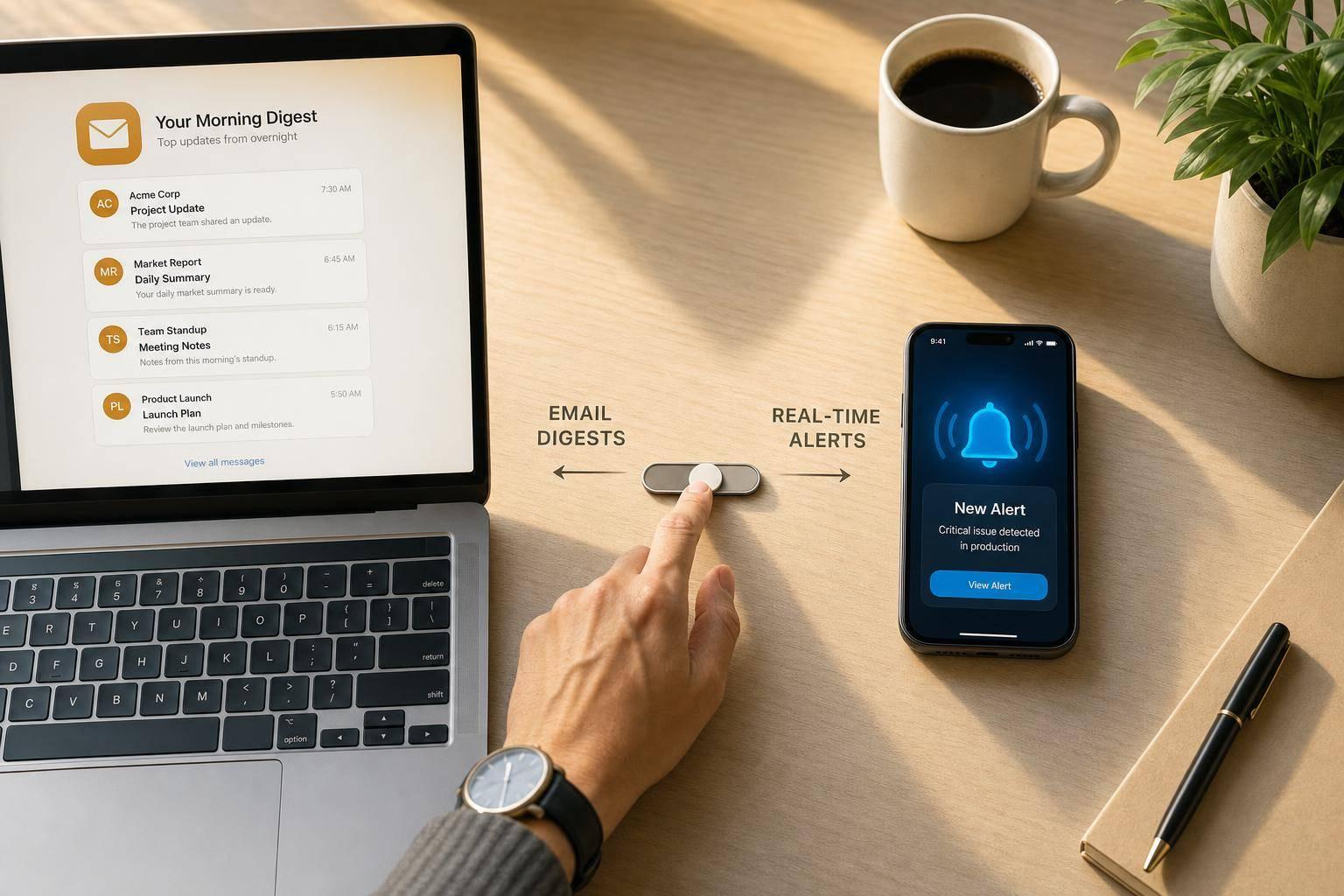
Email Digests vs. Real-Time Alerts: A Quick Comparison
If I need fast action, I use real-time alerts. If I need less noise, I use email digests. That’s the whole choice in one line.
Here’s the short version:
- Email digests send updates on a set schedule, such as 8:00 AM daily or weekly
- Real-time alerts send updates within seconds or minutes
- Digests fit review, reporting, and trend tracking
- Alerts fit crises, system issues, and other cases where delay can cost time or money
- The main tradeoff is speed vs. interruption
- A hybrid setup often works best: alerts for high-severity items, digests for everything else
In most teams, too many alerts lead to fatigue. In plain terms: when people get pinged all day, they start ignoring the stream. On the other side, a digest can delay action if a team has to respond right away.
My rule: default to digests, then reserve alerts for the small set of issues that cannot wait.
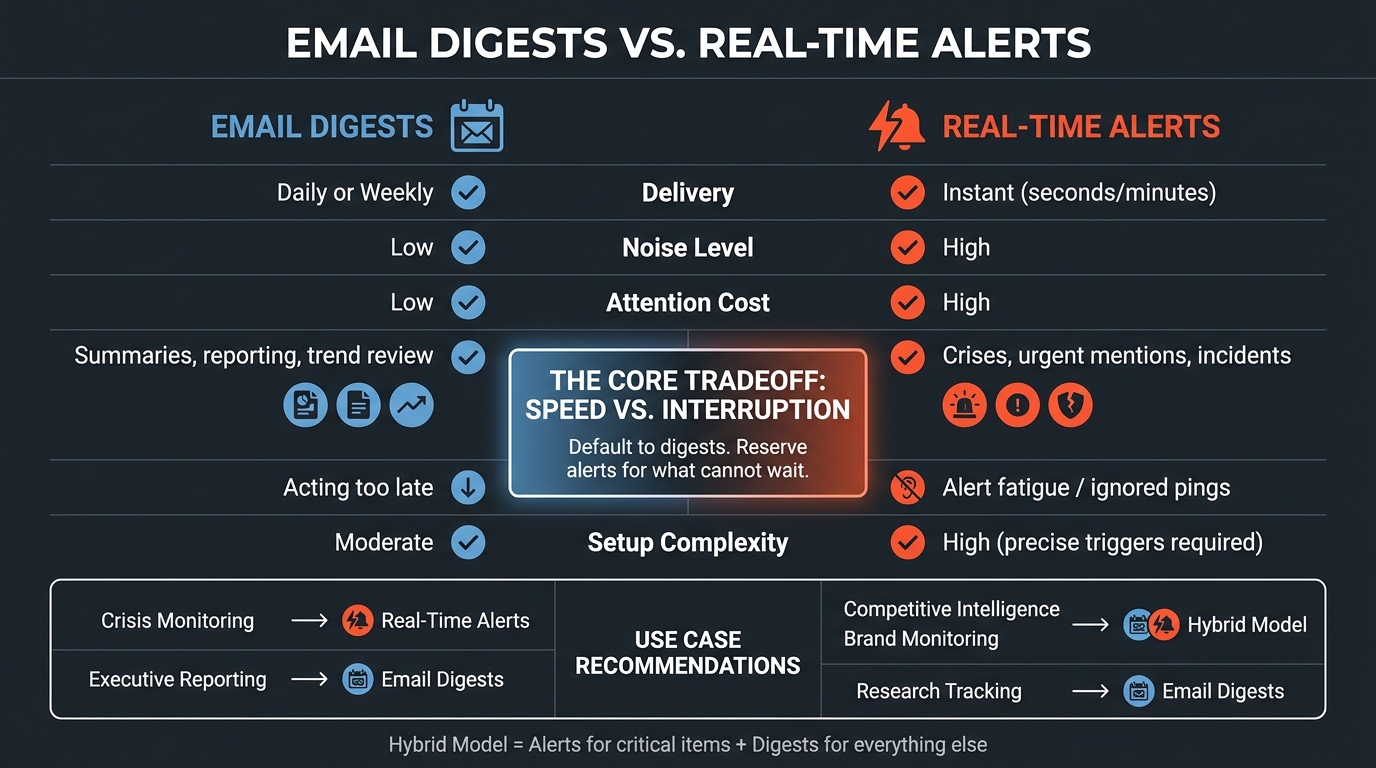
Email Digests vs. Real-Time Alerts: Side-by-Side Comparison
Setting up Email Digest in Protecht.
sbb-itb-15d6cfa
Quick Comparison
| Criteria | Email Digests | Real-Time Alerts |
|---|---|---|
| Delivery | Daily or weekly | Instant |
| Speed | Slower | Fast |
| Noise | Lower | Higher |
| Best for | Summaries, reporting, trend review | Crises, urgent mentions, incidents |
| Attention cost | Lower | Higher |
| Setup | Source and schedule tuning | Tight trigger rules and owner routing |
| Main risk | Acting too late | Too many low-value pings |
If I’m choosing between the two, I start with one question: How many minutes do I have to respond? If the answer is “right now,” I pick alerts. If the answer is “later today” or “this week,” I pick digests.
Email Digests: Better for Structured Monitoring and Lower Noise
Email digests roll updates into one message that's easy to scan. That means fewer interruptions, less alert fatigue, and a simpler way to keep up with recurring monitoring.
They work best when a team reviews information on a set schedule instead of reacting to every single mention. Put plainly: digests cut the noise by bundling signals into one clearer update.
Where Digests Work Best
A daily 8:00 AM digest is a good fit for leadership teams that want a short morning summary. Weekly roundups make sense for market research and industry tracking because they help teams spot trends, not just one-off events.
They’re also easier to archive, forward, and drop into briefings or weekly reports.
That’s why digests make the most sense when the goal is review, reporting, or planning - not immediate response.
How KAEOA Supports Digest-Based Monitoring
KAEOA tracks news, RSS feeds, research sources, social platforms, communities, and custom web pages. It then sends prioritized digests with short summaries.
To keep each digest focused, KAEOA uses:
- keyword filters
- semantic matching
- relevance settings
Use digests when you want a clean review cycle more than instant action. If timing matters more than structure, real-time alerts fill the gap.
Real-Time Alerts: Better for Time-Critical Signals
If digests cut down on noise, real-time alerts do the opposite - but ONLY when speed matters.
When fast action can change what happens next, real-time alerts bring critical signals to the surface right away. A digest works well for spotting patterns over time, but it can be too slow when even a few minutes make a difference.
Real-time alerts are built for speed. They fire the second a trigger condition is met. But there’s a clear tradeoff: more alerts mean more interruptions. If your filters aren’t tight, teams can run into alert fatigue, where people start tuning notifications out. And once that happens, even the alerts that matter can get missed. Real-time streams can also pull in low-value noise, which makes the problem worse.
Route each alert type to a named owner. Sending every alert to everyone is one of the fastest ways to create noise, and it slows response instead of helping it.
Where Real-Time Alerts Work Best
Real-time alerts make the most sense in a few high-stakes situations:
- Crisis and disinformation monitoring: Real-time monitoring is needed to spot imposter domains and malicious activity as they happen, helping stop false narratives from spreading.
- Security and system incidents: Events classified as
crit,alert, oremergcall for immediate action to prevent or resolve outages. - Urgency signals in sales: Use real-time alerts when a prospect shows high intent, such as submitting an RFP or downloading due diligence documents.
Real-time alerts work best when they’re limited to specific, high-severity conditions and sent straight to the right owner.
That speed comes with a tradeoff in noise and workflow fit.
Side-by-Side Comparison: Speed, Noise, Relevance, and Workflow Fit
For news, competitors, brands, and industry topics, the choice usually comes down to immediate interruption or scheduled review. The main tradeoff is simple: speed vs. attention cost. Put them next to each other, and the gap is easy to see.
| Feature | Real-Time Alerts | Email Digests |
|---|---|---|
| Speed | Instant (seconds/minutes) | Scheduled (daily/weekly) |
| Noise Level | High - one notification per match | Low - consolidated report |
| Relevance Control | Tight trigger rules | Broader source and cadence tuning |
| Attention Cost | High - reactive response | Low - planned review |
| Best Use Cases | Breaking incidents, urgent mentions | Routine monitoring, summaries, trend review |
| Team Workflow Fit | Reactive response | Planned review |
| Setup Complexity | High - requires precise triggers | Moderate - focus on cadence and sources |
Real-time alerts are fast, but they pull you out of what you're doing. Email digests are slower, but they give you space to review information on your own schedule. That's the heart of it.
Strengths and Limits of Each Option
This tradeoff shows up pretty clearly in day-to-day work. Real-time alerts tend to break down fast when filters are loose. Digests usually break down more quietly, when the right information shows up too late to act on.
| Method | Strengths | Limitations |
|---|---|---|
| Email Digests | Reduces alert fatigue; provides context for long-term trends; lower interruption cost | Delayed response; critical issues may wait too long for the next digest |
| Real-Time Alerts | Enables immediate action; essential for time-sensitive security or system emergencies | High interruption cost; prone to noise if filters are too broad; teams stop trusting the stream, including important alerts |
Use alerts when someone needs to act right away. Use digests when the goal is a more structured review.
How Filter Quality Changes the Outcome
Both formats depend heavily on filter quality. If filters are loose, digests get cluttered and alerts get noisy. If filters are tight, both become much more useful.
For digests, focus on sources, keywords, and cadence. For alerts, send only high-priority triggers to a named owner. That one step can make a huge difference, because it keeps urgent items from getting lost in a flood of low-value pings.
When filters are set well, the decision is less about the tool itself and more about timing, workload, and response needs.
How to Choose the Right Strategy
At this point, the choice comes down to cadence.
Match the workflow to how fast someone needs to act. If the response window is measured in minutes, use real-time alerts. If the work can wait until later the same day or a weekly review, use digests.
Recommended Setups by Use Case
The right setup depends on what you're watching and who needs the update.
| Use Case | Recommended Strategy | Why |
|---|---|---|
| Crisis Monitoring | Real-Time Alerts | Delays hurt outcomes |
| Executive Reporting | Weekly or Daily Digests | Leadership needs high-level clarity |
| Research Tracking | Daily or Weekly Digests | Trends don't need minute-by-minute action |
| Competitive Intelligence | Hybrid Model | Triggers for moves; summaries for trends |
| Brand Monitoring | Hybrid Model | Real-time for high-severity; digests for sentiment |
Here’s the simple way to apply it:
- Send critical items through real-time alerts
- Send lower-priority items through digests
- Use a hybrid model when day-to-day coverage fits a digest, but major competitor moves need an immediate alert
Treat the table as your default rule set. Then keep real-time alerts limited to the small set of topics that can't wait.
Conclusion: The Simplest Rule for Choosing
Real-time alerts are for urgent signals. Digests are for routine monitoring. Default to digests, and save alerts for high-severity topics.
FAQs
How do I decide what deserves a real-time alert?
Use real-time alerts when the situation is urgent and calls for immediate action, like crisis management, breaking news, or urgent competitive intelligence.
Use email digests for research tracking or executive summaries, where context matters more than speed.
The main trade-off comes down to urgency, noise, and workflow impact. You want fast awareness when timing matters, without flooding people with distractions.
When is a hybrid setup better than using one method?
A hybrid setup works best when you need both broad oversight and fast response.
Use real-time alerts for urgent, time-sensitive events like breaking news or crisis monitoring. Then use scheduled digests for lower-priority updates, like industry research, competitor tracking, or executive summaries.
That mix helps cut alert fatigue without letting important developments slip by.
How often should I send an email digest?
Pick your email digest frequency based on two things: how much information is coming in and how fast your team needs to act on it.
Daily or weekly digests are a good fit for executive summaries, broad industry tracking, and research. They give people a clear snapshot without flooding their inbox.
For time-sensitive competitive intelligence or crisis monitoring, real-time alerts make more sense. They help your team see urgent updates as they happen.
In many cases, a mix of both works best: real-time alerts for urgent developments, plus scheduled digests for broader review.